- [06 October 2026](#)
- [ 3 min read ](#)
### Netglare vs UptimeRobot: Which Uptime Monitoring Tool Fits Your Stack?
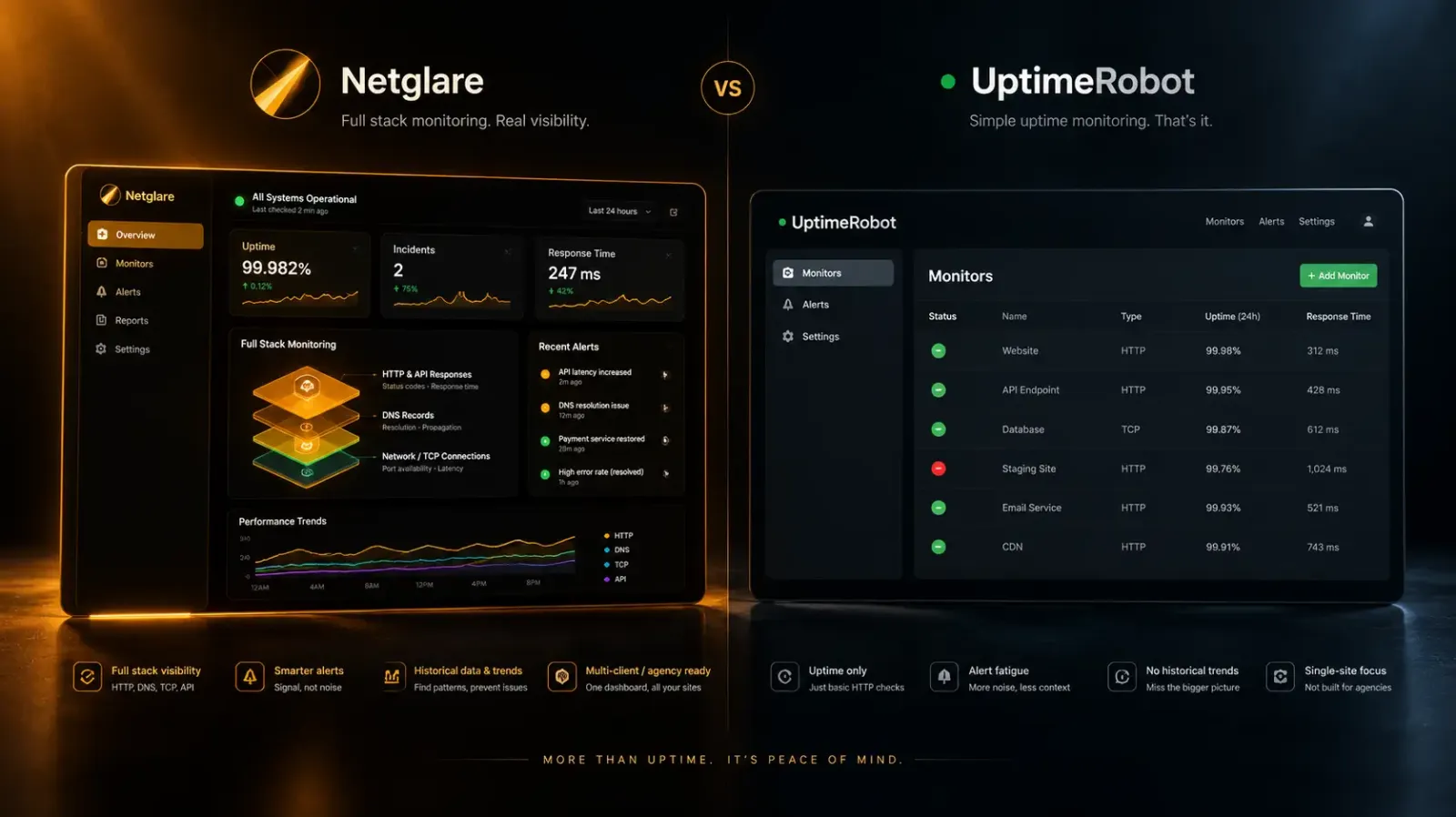
[Netglare ](https://netglare.com)vs UptimeRobot: both monitor website uptime, but they serve different needs. [Netglare ](https://netglare.com)offers 1-minute check intervals starting at $29/month with SSL, DNS, and HTTP response validation included on every plan. UptimeRobot offers a free tier with 50 monitors at 5-minute intervals, scaling to paid plans from $12/month. Here's how they compare across the features that matter for production infrastructure.
# Netglare vs UptimeRobot: A Technical Comparison for Production Infrastructure Teams
| Feature | Netglare | UptimeRobot |
|---|---|---|
| **Starting price** | $29/mo (Starter) | Free (limited), $12/mo (Solo) |
| **Check interval** | 1 minute (all plans) | 5 min (Free), 60s (Solo), 30s (Team), 15s (Scale) |
| **Monitors included** | 10–200 | 50 (Free), 10–500 (paid) |
| **SSL monitoring** | All plans | All plans |
| **DNS monitoring** | All plans | All plans |
| **TCP port monitoring** | All plans | Paid plans |
| **HTTP response validation** | All plans | Keyword monitoring (all plans) |
| **Status pages** | Not yet available | 1 (Free) to unlimited (Scale) |
| **Team members** | 2–20 | 0 (Free), 3–5 (paid) |
| **Data retention** | 30 days–1 year | 3–24 months |
| **Alert channels** | Email, Slack | Email, Slack, SMS, voice, webhooks, PagerDuty |
| **Free plan** | 14-day Pro trial | Yes (50 monitors, 5-min intervals) |
## Pricing Breakdown
---
### Netglare Plans
- **Starter — $29/mo** ($23/mo billed annually): 10 endpoints, 1-minute checks, 30-day history, 2 team members, email and Slack alerts, SSL monitoring
- **Pro — $79/mo** ($63/mo billed annually): 50 endpoints, 1-minute checks, 90-day history, 5 team members, team permissions
- **Team — $199/mo** ($159/mo billed annually): 200 endpoints, 1-minute checks, 1-year history, 20 team members, multi-client management
### UptimeRobot Plans
- **Free — $0/mo**: 50 monitors, 5-minute checks, 3-month retention, 1 status page, no SMS credits
- **Solo — $12/mo** (annual): 10 monitors, 60-second checks, 12-month retention, 3 status pages, 3 seats
- **Team — $39/mo** (annual): 100 monitors, 30-second checks, 24-month retention, 100 status pages, 3 seats, 30 SMS credits
- **Scale — $79/mo** (annual): 200–500 monitors, 15-second checks, 24-month retention, unlimited status pages, 5 seats, 50–200 SMS credits
## Where Netglare Wins
---
### Consistent check intervals across all plans
Every Netglare plan runs 1-minute checks. UptimeRobot gates check frequency by plan tier — the free plan checks every 5 minutes, and you need the $39/month Team plan to get 30-second intervals. If your SLA requires detecting outages within 60 seconds, Netglare's Starter plan does it at $29/month. UptimeRobot needs its Team plan at $39/month for comparable speed.
### Infrastructure-depth monitoring out of the box
Netglare monitors more than HTTP status codes. Every plan includes TCP port health checks, DNS record integrity validation, and HTTP response content verification — you can confirm that a page returns expected content, not just a 200 status. UptimeRobot offers keyword monitoring on all plans, but TCP port monitoring requires a paid plan.
### Simpler pricing with no hidden costs
Netglare's pricing is flat — what you see is what you pay. UptimeRobot charges extra for SMS and voice alert credits ($3–$100 per pack), additional login seats ($15–$19/month each beyond the bundled count), and there's no add-on to increase monitor count within a plan. To jump from 100 to 200 monitors, you upgrade from Team ($39/mo) to Scale ($79/mo).
## Where UptimeRobot Wins
---
### Free tier for side projects and personal sites
UptimeRobot's permanent free plan with 50 monitors is hard to beat for hobby projects, personal blogs, or early-stage startups that aren't ready to commit budget to monitoring. Netglare offers a 14-day Pro trial but no ongoing free tier.
### More alert integrations
UptimeRobot supports SMS, voice calls, webhooks, PagerDuty, Zapier, and more alert channels. Netglare currently offers email and Slack notifications. If your incident response workflow runs through PagerDuty or a custom webhook pipeline, UptimeRobot has more integration options today. Netglare has REST API access and additional integrations on its roadmap.
### Public status pages
UptimeRobot includes public status pages on every plan — from 1 on Free to unlimited on Scale. This is useful for communicating uptime to customers. Netglare doesn't offer status pages yet.
### Longer data retention on paid plans
UptimeRobot retains monitoring data for up to 24 months on paid plans. Netglare's retention ranges from 30 days (Starter) to 1 year (Team). If long-term historical trend analysis matters for your reporting, UptimeRobot keeps data longer.
## Who Should Choose Netglare
---
Netglare is built for engineering teams running production infrastructure where detection speed and monitoring depth matter more than status page features. If you need 1-minute checks, SSL expiry alerts, DNS validation, and HTTP content verification on a single platform with no per-credit charges, Netglare delivers that from the Starter plan.
It's a strong fit for:
- **Solo engineers and small teams** running production systems where every minute of downtime costs money
- **Agencies managing multiple client sites** who need the Team plan's multi-client management
- **East African and emerging-market businesses** wanting a monitoring tool built with regional infrastructure realities in mind — Netglare is headquartered in Nairobi and built by Gato Blanco, a B2B software studio focused on performance and security
## Who Should Choose UptimeRobot
---
UptimeRobot makes sense when you need broad monitoring coverage at minimal cost, and detection speed isn't critical. The free plan is excellent for monitoring side projects, staging environments, or early-stage products. The paid plans are competitive when you need status pages, PagerDuty integration, or long data retention.
It's a strong fit for:
- **Developers with many low-priority sites** who want basic uptime awareness without paying anything
- **Teams using PagerDuty or complex alert routing** that need webhook and Zapier integrations today
- **Organizations that need public status pages** as part of their customer communication strategy
## Frequently Asked Questions
---
FAQs
Is Netglare cheaper than UptimeRobot?
It depends on what you need. UptimeRobot is cheaper at the entry level thanks to its free plan and $12/month Solo tier. But for 1-minute monitoring with full infrastructure checks (SSL, DNS, TCP, HTTP validation), Netglare's $29/month Starter plan undercuts UptimeRobot's $39/month Team plan, which is the cheapest UptimeRobot tier offering 30-second checks.
Does Netglare have a free plan?
Netglare offers a 14-day free trial on the Pro plan with no credit card required. There is no permanent free tier. UptimeRobot offers a permanent free plan with 50 monitors at 5-minute intervals.
Which tool has faster monitoring?
Both offer sub-minute monitoring on paid plans. Netglare checks every 60 seconds on all plans including Starter. UptimeRobot's fastest interval is 15 seconds on the Scale plan ($79/month), but the free plan only checks every 5 minutes. For consistent 1-minute detection across every pricing tier, Netglare is more straightforward.
Can I monitor SSL certificates with both tools?
Yes, both Netglare and UptimeRobot monitor SSL certificates and alert on upcoming expiry. Netglare includes this on all plans. UptimeRobot includes SSL monitoring on all plans including Free.
Tags- [Web development](/taxonomy/term/17)
Share: [](https://www.addtoany.com/share#url=https%3A%2F%2Fwww.gatoblan.co%2Fmarkdownify%2Fnode%2F62&title=Netglare%20vs%20UptimeRobot%3A%20Which%20Uptime%20Monitoring%20Tool%20Fits%20Your%20Stack%3F)